CS2: Difference between revisions
No edit summary |
|||
| (16 intermediate revisions by the same user not shown) | |||
| Line 1: | Line 1: | ||
__NOTOC__ | |||
{{#seo: | {{#seo: | ||
|title= | |title=CounterStrike 2 - CKRAS WIKI | ||
|title_mode=append | |title_mode=append | ||
|keywords=ckras, wiki, cs2, gameserver, help, guide, csgo, webinterface, token, gslt, | |keywords=ckras, wiki, cs2, gameserver, help, guide, csgo, webinterface, token, gslt, workshop, matchzy, ckras bot, cstv | ||
|description=Simple CS2 guide | |description=Simple CS2 guide for managing your Counter-Strike 2 gameserver at CKRAS. Learn how to use CKRAS BOT, MatchZy, Workshop, GSLT, demos, CSTV and more. | ||
|image= | |image=Cs2-icon.jpg | ||
|image_alt= | |image_alt=CounterStrike 2 Gameserver at CKRAS | ||
}} | }} | ||
'' | <div class="ck-page"> | ||
<div class="ck-hero--dark"> | |||
{| style="background:transparent; border:none; width:100%;" | |||
|- | |||
| style="vertical-align:top; width:130px; padding-right:20px;" | | |||
<div class="ck-hero-logo">[[File:Cs2-icon.jpg|110px|alt=CS2 Gameserver|link=CS2]]</div> | |||
| style="vertical-align:top;" | | |||
<div class="ck-hero-content"> | |||
<h1 class="ck-hero-title">CounterStrike 2 (CS2)</h1> | |||
<div class="ck-hero-sub">The central guide for managing your CS2 scrim& prac gameserver at CKRAS.</div> | |||
<div class="ck-hero-meta"><b>Start here:</b> Use [[CKRAS BOT]] and [[MatchZy]] for the easiest server management.</div> | |||
<div class="ck-hero-actions"> | |||
[https://iface.ckras.com <span class="ck-btn ck-btn-primary">▶ Open Webpanel</span>] | |||
[https://www.ckras.com/en/ <span class="ck-btn ck-btn-ghost">CKRAS Website</span>] | |||
[https://play.ckras.com <span class="ck-btn ck-btn-ghost">Play</span>] | |||
</div> | |||
</div> | |||
|} | |||
</div> | |||
<div class="ck-lead"> | |||
This page gives you the most important guides, commands and setup steps for your '''[[CS2]] [[Gameserver]]''' at '''[[CKRAS]]'''. | |||
Use it as your main entry point for scrims, practice, workshop maps, demos, [[CSTV]], [[GSLT]], plugins and more. | |||
</div> | |||
<div class="ck-jump"> | |||
<b>Jump to:</b> [[CS2#Quick Start|Quick Start]] • [[CS2#Core Tools|Core Tools]] • [[CS2#Installation|Installation]] • [[CS2#RCON Commands|RCON Commands]] • [[CS2#Configs|Configs]] • [[CS2#Plugins|Plugins]] • [[CS2#Gameserver|Gameserver]] | |||
</div> | |||
== Quick Start == | |||
<div class="ck-callout ck-callout--ok"> | |||
<b>Recommended setup for most users:</b> Use [[CKRAS BOT]] + [[MatchZy]]. | |||
</div> | |||
# Open your server | |||
# Activate the recommended tools | |||
# Join in-game | |||
# Type <code>!help</code> | |||
# Start your prac, scrim or match | |||
<div class="ck-callout"> | |||
<b>Read first:</b> [[CKRAS BOT]] • [[MatchZy]] • [[Workshop]] • [[Demos]] • [[CSTV]] • [[GSLT]] | |||
</div> | |||
== Installation == | |||
<div class="ck-callout"> | |||
Install CS2 on your gameserver with this full step-by-step guide: | |||
<br>[[CS2-Installation-Guide|Install CS2 to your Gameserver - Guide]] | |||
</div> | |||
== Core Tools == | |||
<div class="ck-feature-list"> | |||
<span class="ck-feature-pill">[[CKRAS BOT]]</span> | |||
<span class="ck-feature-pill">[[MatchZy]]</span> | |||
<span class="ck-feature-pill">[[Workshop]]</span> | |||
<span class="ck-feature-pill">[[GSLT]]</span> | |||
<span class="ck-feature-pill">[[Demos]]</span> | |||
<span class="ck-feature-pill">[[CSTV]]</span> | |||
<span class="ck-feature-pill">[[Coach]]</span> | |||
<span class="ck-feature-pill">[[Webinterface]]</span> | |||
</div> | |||
=== CKRAS BOT === | |||
'''[[CKRAS BOT]]''' helps you manage your server with simple in-game commands such as <code>!help</code>, <code>!map</code>, <code>!prac</code> and more. | |||
<div class="ck-callout"> | |||
<b>Recommended:</b> Combine [[CKRAS BOT]] with [[MatchZy]] for the best scrim and practice workflow. | |||
</div> | |||
=== MatchZy === | |||
'''[[MatchZy]]''' is the main plugin for managing practice sessions, pugs, scrims, matches and coaches on your CS2 server. | |||
<div class="ck-callout"> | |||
CKRAS includes a customized MatchZy setup designed to work smoothly with your webpanel and CKRAS BOT. | |||
</div> | |||
=== Coach === | |||
[[Coach]] is available for CS2 servers together with [[MatchZy]]. | |||
Use: | |||
<code>!coach <ct|t></code> | |||
<div class="ck-callout ck-callout--amber"> | |||
<b>Note:</b> Coach requires [[MatchZy]] or another compatible scrim plugin. | |||
</div> | |||
=== Workshop === | |||
[[Workshop]] support allows you to install and use custom maps on your CS2 server. | |||
[[File:WORSKHOP CS2.png|alt=WORKSHOP CS2|500x500px|link=]] | |||
<div class="ck-callout"> | |||
Use the full [[Workshop|Workshop Guide]] to install and manage workshop maps. | |||
</div> | |||
=== GSLT === | |||
A [[GSLT]] is required for your CS2 server. | |||
[[File:Steam gslt.png|link=]] | |||
<div class="ck-callout ck-callout--amber"> | |||
<b>Important:</b> You must add a [[GSLT]] key to your CS2 server. | |||
</div> | |||
See the full [[GSLT|GSLT guide]] for setup instructions. | |||
=== Demos === | |||
You can manage your [[Demos]] directly in the webpanel. | |||
=== CSTV === | |||
Activate [[CSTV]] for your CS2 gameserver and manage your TV server through the CKRAS platform. | |||
<div class="ck-callout"> | |||
Read the [[CSTV|CSTV guide]] to learn how to configure and use it. | |||
</div> | |||
== | == RCON Commands == | ||
= | <div class="ck-callout ck-callout--amber"> | ||
<b>Recommendation:</b> For easier administration, use [[CKRAS BOT]] or [[MatchZy]] instead of raw RCON whenever possible. | |||
</div> | |||
Use RCON in chat with: | |||
<code>!rcon <cmd></code> or <code>.rcon <cmd></code> | |||
{| class="wikitable" | {| class="wikitable" | ||
|- | |- | ||
! | ! style="width:260px;" | Command | ||
! style="width:540px;" | Description | |||
| | |||
| | |||
|- | |- | ||
| | | <code>rcon_password YOURRCONPASSWORD</code> || Admin authentication | ||
|- | |- | ||
| | | <code>exec nameCONFIG.cfg</code> || Runs a config file and loads its settings | ||
|- | |- | ||
| | | <code>map de_inferno</code> || Changes to the selected map | ||
|- | |- | ||
| | | <code>mp_c4timer 40</code> || Sets the bomb timer | ||
|- | |- | ||
| | | <code>mp_restartgame 5</code> || Restarts the game after the given number of seconds | ||
|- | |- | ||
| | | <code>mp_warmup_time 100</code> || Sets warmup time in seconds | ||
|- | |- | ||
| | | <code>bot_add</code> || Adds bots | ||
|- | |- | ||
| | | <code>mp_chattime</code> || Sets how long chat messages remain visible | ||
|- | |- | ||
| | | <code>mp_fadetoblack</code> || Toggles black screen after death | ||
|- | |- | ||
| | | <code>mp_freezetime</code> || Sets freeze time after round start | ||
|- | |- | ||
| | | <code>mp_friendlyfire</code> || Toggles team damage | ||
|- | |- | ||
| | | <code>sv_cheats</code> || Enables or disables cheat commands | ||
|- | |- | ||
| | | <code>noclip</code> || Fly mode, requires <code>sv_cheats 1</code> | ||
|- | |- | ||
| | | <code>mp_allowspectators</code> || Allows spectator mode | ||
|- | |- | ||
| | | <code>sv_pausable</code> || Allows game pausing | ||
|- | |- | ||
| | | <code>changelevel MAPNAME</code> || Changes the map | ||
|- | |- | ||
| | | <code>rcon say</code> || Sends text into chat | ||
|- | |- | ||
| | | <code>status</code> || Shows connected players and Steam IDs | ||
|- | |- | ||
| | | <code>users</code> || Lists users and IDs | ||
|- | |- | ||
| | | <code>kick</code> || Kicks a player | ||
|- | |- | ||
| | | <code>banid</code> || Bans a player by ID | ||
|- | |- | ||
| | | <code>banip</code> || Bans a player by IP | ||
|- | |- | ||
|sv_maxspeed ||Sets | | <code>sv_maxspeed</code> || Sets player movement speed | ||
|} | |} | ||
<div class="ck-callout"> | |||
For additional settings, see the full [[CS2 CVARs]] guide. | |||
</div> | |||
== Configs == | |||
==Configs | |||
All common prac and scrim configs are already available by default. | |||
You can also upload and run your own configs. | |||
=== | === Webinterface === | ||
With | With the [[Webinterface]], you can manage your server, install addons, update tools and adjust settings with a few clicks. | ||
===FTP Usage=== | === FTP Usage === | ||
Every customer has full FTP access | Every customer has full FTP access. | ||
[[File:FTP-Settings.png|750x750px]] | [[File:FTP-Settings.png|750x750px]] | ||
Upload your configs to: | |||
<div class="ck-pathbox"><code>/cs2/game/csgo/cfg</code></div> | |||
Then execute them with: | |||
<code>exec NAME.cfg</code> | |||
Example: | |||
<code>exec practice.cfg</code> | |||
You can also load configs with: | |||
<code>!exec name</code> or <code>!config name</code> | |||
[[ | [[File:Gameserver-edit.png|alt=Gameserver edit on startpage|750x750px]] | ||
== Server Port == | |||
All CS2 servers at CKRAS run on their own ports. | |||
You can find your assigned port in the [https://iface.ckras.com webinterface]. | |||
== | == Tickrate == | ||
CKRAS launched servers with 128 tickrate in the past, but after Valve changed CS2 networking behavior, the focus shifted more toward stronger CPU and RAM allocations for better performance. | |||
<div class="ck-callout"> | |||
<b>Performance focus:</b> CKRAS optimizes hardware resources to deliver better real-world server performance. | |||
</div> | |||
== | == Plugins == | ||
Here is a selection of useful plugins for your CS2 server. | |||
<div class="ck-section-grid"> | |||
==[[ | <div class="ck-mini-card"> | ||
<div class="ck-mini-title">[[CKRAS BOT]]</div> | |||
Default management addon with easy in-game commands. | |||
</div> | |||
[[ | <div class="ck-mini-card"> | ||
<div class="ck-mini-title">[[MatchZy]]</div> | |||
Practice, pugs, scrims, matches and coaches. | |||
</div> | |||
<div class="ck-mini-card"> | |||
<div class="ck-mini-title">[[Deathmatch]]</div> | |||
Deathmatch plugin for CS2 servers. | |||
</div> | |||
<div class="ck-mini-card"> | |||
<div class="ck-mini-title">[[FAKE RCON]]</div> | |||
Alternative access to RCON-style commands. | |||
</div> | |||
<div class="ck-mini-card"> | |||
<div class="ck-mini-title">[[Metamod]]</div> | |||
Base plugin layer with simple installation via webpanel. | |||
</div> | |||
==[[ | <div class="ck-mini-card"> | ||
<div class="ck-mini-title">[[Retakes|Retake]]</div> | |||
Retake training for your CS2 server. | |||
</div> | |||
<div class="ck-mini-card"> | |||
<div class="ck-mini-title">[[PreFire]]</div> | |||
Prefire route training on competitive maps. | |||
</div> | |||
<div | <div class="ck-mini-card"> | ||
<div class="ck-mini-title">[[InfiniteSpawns]]</div> | |||
Additional spawn functionality for training servers. | |||
</div> | </div> | ||
</div> | </div> | ||
== | == Gameserver == | ||
[[Testserver]] - | [[Testserver]] - If you want to [[Testserver|test]] our servers, please contact support. | ||
<div class="ck-callout"> | |||
CKRAS offers multiple performance classes for CS2 servers. | |||
</div> | |||
==[[ | <div class="ck-feature-list"> | ||
<span class="ck-feature-pill">[[Smartline - Entry Server|Entry]]</span> | |||
<span class="ck-feature-pill">[[EPS Server|Extreme]]</span> | |||
<span class="ck-feature-pill">[[EPS PLUS Server|Extreme Plus]]</span> | |||
</div> | |||
Extreme Plus is designed for the highest competitive requirements. | |||
== Game Information == | |||
[[File:Cs2.png|thumb|link=]] | |||
'''Developer:''' Valve Software | |||
'''Release Date:''' 27 September 2023 | |||
'' | '''Description:''' Counter-Strike 2 is the latest chapter of Counter-Strike and continues the competitive gameplay legacy built over more than 20 years. | ||
== Trailer == | |||
https://youtu.be/nSE38xjMLqE?si=tQdtO8ftfOfLsUmo | |||
→ ''Main article: [[Gameserver]]'' | |||
</div> | |||
[[Category:CS2]] | [[Category:CS2]] | ||
Latest revision as of 13:04, 4 August 2026
 |
CounterStrike 2 (CS2)The central guide for managing your CS2 scrim& prac gameserver at CKRAS.
|
This page gives you the most important guides, commands and setup steps for your CS2 Gameserver at CKRAS. Use it as your main entry point for scrims, practice, workshop maps, demos, CSTV, GSLT, plugins and more.
Jump to: Quick Start • Core Tools • Installation • RCON Commands • Configs • Plugins • Gameserver
Quick Start
- Open your server
- Activate the recommended tools
- Join in-game
- Type
!help - Start your prac, scrim or match
Installation
Install CS2 on your gameserver with this full step-by-step guide:
Install CS2 to your Gameserver - Guide
Core Tools
CKRAS BOT
CKRAS BOT helps you manage your server with simple in-game commands such as !help, !map, !prac and more.
MatchZy
MatchZy is the main plugin for managing practice sessions, pugs, scrims, matches and coaches on your CS2 server.
CKRAS includes a customized MatchZy setup designed to work smoothly with your webpanel and CKRAS BOT.
Coach
Coach is available for CS2 servers together with MatchZy. Use:
!coach <ct|t>
Note: Coach requires MatchZy or another compatible scrim plugin.
Workshop
Workshop support allows you to install and use custom maps on your CS2 server.
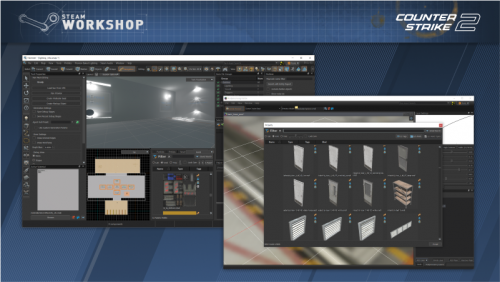
Use the full Workshop Guide to install and manage workshop maps.
GSLT
A GSLT is required for your CS2 server.

Important: You must add a GSLT key to your CS2 server.
See the full GSLT guide for setup instructions.
Demos
You can manage your Demos directly in the webpanel.
CSTV
Activate CSTV for your CS2 gameserver and manage your TV server through the CKRAS platform.
Read the CSTV guide to learn how to configure and use it.
RCON Commands
Recommendation: For easier administration, use CKRAS BOT or MatchZy instead of raw RCON whenever possible.
Use RCON in chat with:
!rcon <cmd> or .rcon <cmd>
| Command | Description |
|---|---|
rcon_password YOURRCONPASSWORD |
Admin authentication |
exec nameCONFIG.cfg |
Runs a config file and loads its settings |
map de_inferno |
Changes to the selected map |
mp_c4timer 40 |
Sets the bomb timer |
mp_restartgame 5 |
Restarts the game after the given number of seconds |
mp_warmup_time 100 |
Sets warmup time in seconds |
bot_add |
Adds bots |
mp_chattime |
Sets how long chat messages remain visible |
mp_fadetoblack |
Toggles black screen after death |
mp_freezetime |
Sets freeze time after round start |
mp_friendlyfire |
Toggles team damage |
sv_cheats |
Enables or disables cheat commands |
noclip |
Fly mode, requires sv_cheats 1
|
mp_allowspectators |
Allows spectator mode |
sv_pausable |
Allows game pausing |
changelevel MAPNAME |
Changes the map |
rcon say |
Sends text into chat |
status |
Shows connected players and Steam IDs |
users |
Lists users and IDs |
kick |
Kicks a player |
banid |
Bans a player by ID |
banip |
Bans a player by IP |
sv_maxspeed |
Sets player movement speed |
For additional settings, see the full CS2 CVARs guide.
Configs
All common prac and scrim configs are already available by default. You can also upload and run your own configs.
Webinterface
With the Webinterface, you can manage your server, install addons, update tools and adjust settings with a few clicks.
FTP Usage
Every customer has full FTP access.

Upload your configs to:
/cs2/game/csgo/cfgThen execute them with:
exec NAME.cfg
Example:
exec practice.cfg
You can also load configs with:
!exec name or !config name

Server Port
All CS2 servers at CKRAS run on their own ports. You can find your assigned port in the webinterface.
Tickrate
CKRAS launched servers with 128 tickrate in the past, but after Valve changed CS2 networking behavior, the focus shifted more toward stronger CPU and RAM allocations for better performance.
Performance focus: CKRAS optimizes hardware resources to deliver better real-world server performance.
Plugins
Here is a selection of useful plugins for your CS2 server.
Default management addon with easy in-game commands.
Practice, pugs, scrims, matches and coaches.
Deathmatch plugin for CS2 servers.
Alternative access to RCON-style commands.
Base plugin layer with simple installation via webpanel.
Retake training for your CS2 server.
Prefire route training on competitive maps.
Additional spawn functionality for training servers.
Gameserver
Testserver - If you want to test our servers, please contact support.
CKRAS offers multiple performance classes for CS2 servers.
Extreme Plus is designed for the highest competitive requirements.
Game Information

Developer: Valve Software Release Date: 27 September 2023
Description: Counter-Strike 2 is the latest chapter of Counter-Strike and continues the competitive gameplay legacy built over more than 20 years.
Trailer
https://youtu.be/nSE38xjMLqE?si=tQdtO8ftfOfLsUmo
→ Main article: Gameserver
