Workshop: Difference between revisions
No edit summary |
|||
| (75 intermediate revisions by the same user not shown) | |||
| Line 1: | Line 1: | ||
__NOTOC__ | |||
=== | {{#seo: | ||
|title=How to add Custom Maps to your CS2 Gameserver | |||
|title_mode=append | |||
|keywords=ckras, wiki, cs2, gameserver, workshop, maps, custom maps, community maps, webinterface, matchzy, ckras bot | |||
|description=Add Workshop custom maps to your CS2 gameserver. Learn how to install and start community maps on your CKRAS server with simple commands. | |||
|image=WORSKHOP CS2.png | |||
|image_alt=How to add Workshop Maps to your CS2 server | |||
}} | |||
<div class="ck-page"> | |||
=== | <div class="ck-hero--dark"> | ||
{| style="background:transparent; border:none; width:100%;" | |||
|- | |||
| style="vertical-align:top; width:130px; padding-right:20px;" | | |||
<div class="ck-hero-logo">[[File:workshop.jpg|110px|alt=Workshop Maps|link=Workshop]]</div> | |||
| style="vertical-align:top;" | | |||
<div class="ck-hero-content"> | |||
<h1 class="ck-hero-title">Workshop Maps</h1> | |||
<div class="ck-hero-sub">Install and play custom community maps on your CKRAS CS2 server.</div> | |||
<div class="ck-hero-meta"><b>Quick Start:</b> Find a Workshop ID → use <code>!wadd [id]</code> → switch with <code>!wmap [mapname]</code></div> | |||
<div class="ck-hero-actions"> | |||
[https://iface.ckras.com <span class="ck-btn ck-btn-primary">▶ Start on CKRAS</span>] | |||
[https://www.ckras.com/en/ <span class="ck-btn ck-btn-ghost">CKRAS Website</span>] | |||
[https://play.ckras.com <span class="ck-btn ck-btn-ghost">Play</span>] | |||
[https://wiki.ckras.com/wiki/index.php?title=Workshop <span class="ck-btn ck-btn-ghost">Deutsch 🇩🇪</span>] | |||
</div> | |||
</div> | |||
|} | |||
</div> | |||
<div class="ck-lead"> | |||
'''Workshop Maps''' let you install and play community-made maps on your [[CS2]] [[Gameserver]]. | |||
With CKRAS, you can install custom maps directly via commands or from the webpanel workflow. | |||
</div> | |||
<div class="ck-jump"> | |||
<b>Jump to:</b> [[Workshop#Quick Start|Quick Start]] • [[Workshop#Workshop Commands|Commands]] • [[Workshop#Install Maps|Install Maps]] • [[Workshop#Switch Maps|Switch Maps]] • [[Workshop#Accept Map Downloads|Downloads]] | |||
</div> | |||
<div class="ck-callout ck-callout--ok"> | |||
<b>Recommended:</b> Use [[CKRAS BOT]] and [[MatchZy]] for the easiest Workshop workflow on CS2. | |||
</div> | |||
== Quick Start == | |||
== | |||
# Find the Workshop map ID on Steam | |||
# Install the map with <code>!wadd [id]</code> | |||
# List installed maps with <code>!wlist</code> | |||
# Change to the map with <code>!wmap [mapname]</code> | |||
# Join and play | |||
<div class="ck-callout"> | |||
< | You can also use <code>!workshop</code> to display the available Workshop commands in-game. | ||
</div> | |||
== Install Maps == | |||
== | |||
To install a Workshop map, first find its Workshop ID on Steam. | |||
Then use one of these commands: | |||
<code>!wadd [id]</code> | |||
or | |||
<code>!rcon host_workshop_map [id]</code> | |||
If you use [[CounterStrikeSharp|CSS]], you can also use: | |||
[ | <code>css_rcon host_workshop_map [id]</code> | ||
= | <div class="ck-callout ck-callout--amber"> | ||
<b>Recommended:</b> Use the CKRAS BOT command <code>!wadd [id]</code> whenever possible. | |||
</div> | |||
=== Examples === | |||
{| class="wikitable" | {| class="wikitable" | ||
|- | |- | ||
! | ! style="width:280px;" | Command | ||
! style="width:520px;" | Map | |||
|- | |- | ||
| rcon host_workshop_map | | <code>!rcon host_workshop_map 3691046714</code> || de_splinter | ||
|- | |- | ||
| rcon host_workshop_map | | <code>!rcon host_workshop_map 3070923343</code> || fy_pool_day | ||
|- | |- | ||
| rcon host_workshop_map | | <code>!rcon host_workshop_map 3075706807</code> || Biome | ||
|- | |- | ||
| rcon host_workshop_map | | <code>!rcon host_workshop_map 3074691772</code> || sandstone | ||
|- | |- | ||
| rcon host_workshop_map | | <code>!rcon host_workshop_map 163589843</code> || de_cache (legacy) | ||
|- | |- | ||
| rcon host_workshop_map | | <code>!rcon host_workshop_map 174668691</code> || cs_agency | ||
|- | |- | ||
| rcon host_workshop_map | | <code>!rcon host_workshop_map 201811336</code> || de_toscan | ||
|- | |- | ||
| rcon host_workshop_map | | <code>!rcon host_workshop_map 312199550</code> || de_tuscan | ||
|- | |- | ||
| rcon host_workshop_map | | <code>!rcon host_workshop_map 546623875</code> || de_santorini | ||
|- | |} | ||
| | |||
== Workshop Commands == | |||
<div class="ck-lead"> | |||
These commands are available for all customers together with the CKRAS BOT. | |||
</div> | |||
{| class="wikitable" | |||
|- | |- | ||
| | ! style="width:240px;" | Command | ||
! style="width:560px;" | Description | |||
|- | |- | ||
| | | <code>!workshop</code> || Lists all available Workshop commands | ||
|- | |- | ||
| | | <code>!wadd [id]</code> || Installs a new Workshop map to your server | ||
|- | |- | ||
| | | <code>!wlist</code> || Lists all installed Workshop maps | ||
|- | |- | ||
| | | <code>!wmap [mapname]</code> || Changes to an installed Workshop map | ||
|- | |- | ||
| | | <code>ds_workshop_changelevel</code> || Changes the Workshop map by name | ||
|- | |- | ||
| | | <code>ds_workshop_listmaps</code> || Lists Workshop maps available on the server | ||
|- | |- | ||
| | | <code>sv_workshop_allow_other_maps</code> || Allows other maps to be played on the server during a Workshop collection | ||
|} | |} | ||
== Accept Map Downloads == | |||
In [[CS2]], players may need to confirm the map download if they do not already have the Workshop map installed locally. | |||
[[File:Download Map Allow (Workshop).png|alt=Download Map Allow (Workshop) - CS2|600x600px]] | |||
<div class="ck-callout"> | |||
If the map is not yet installed on the client, CS2 may ask for confirmation before downloading it. | |||
</div> | |||
== Switch Maps == | |||
Once installed, you can switch to a Workshop map with: | |||
<code>!wmap [mapname]</code> | |||
Example: | |||
<code>!wmap de_cache</code> | |||
<div class="ck-callout"> | |||
Use <code>!wlist</code> first if you want to see all Workshop maps currently installed on your server. | |||
</div> | |||
== Webpanel == | |||
<div class="ck-callout"> | |||
You can also manage Workshop-related server settings through the [[Webinterface|webpanel]]. | |||
</div> | |||
[[File:Workshop-webpanel-detail.png|alt=Workshop Panel|750x750px]] | |||
=== Workshop | <div class="ck-callout ck-callout--amber"> | ||
<b>Note:</b> Older API key steps are no longer required. | |||
</div> | |||
== Video == | |||
Watch the Workshop how-to video: | |||
https://youtu.be/dxg8OvPbpM0 | |||
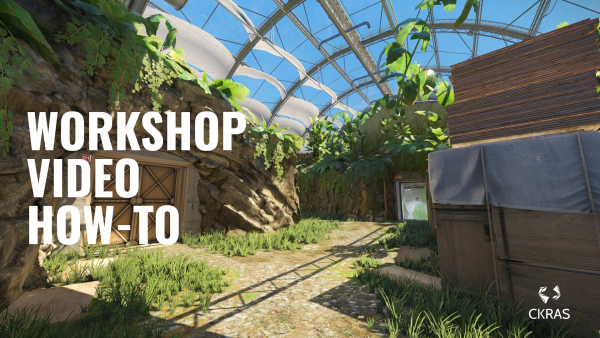
[[File:Workshop CS2 How-To.png|alt=Workshop Guide How to install Maps in CS2|600x600px|link=https://youtu.be/dxg8OvPbpM0]] | |||
== Valve Info == | |||
Valve developer information for server operators: | |||
https://developer.valvesoftware.com/wiki/CSGO_Workshop_For_Server_Operators | https://developer.valvesoftware.com/wiki/CSGO_Workshop_For_Server_Operators | ||
== [[ | == Gameserver == | ||
<div class="ck-feature-list"> | |||
<span class="ck-feature-pill">[[Smartline - Entry Server|Entry]]</span> | |||
<span class="ck-feature-pill">[[EPS Server|Extreme]]</span> | |||
<span class="ck-feature-pill">[[EPS PLUS Server|Extreme Plus]]</span> | |||
</div> | |||
<div class="ck-callout"> | |||
<b>EPS Server:</b> For advanced players with higher performance requirements. | |||
</div> | |||
<div | <div class="ck-callout"> | ||
<b>EPS PLUS:</b> Best performance for competitive and professional play. | |||
< | </div> | ||
<div class="ck-callout"> | |||
<b>Smartline / Entry:</b> Great entry-level choice with strong price/performance. | |||
</div> | |||
[[File:ORDER CS2 Gameserver.png|alt=ORDER CS2 Gameserver|521x521px|link=https://www.ckras.com/en/]] | |||
[[index.php?title=Category:CS2]] | |||
</div> | |||
Latest revision as of 06:49, 29 April 2026
 |
Workshop MapsInstall and play custom community maps on your CKRAS CS2 server.
|
Workshop Maps let you install and play community-made maps on your CS2 Gameserver. With CKRAS, you can install custom maps directly via commands or from the webpanel workflow.
Jump to: Quick Start • Commands • Install Maps • Switch Maps • Downloads
Quick Start
- Find the Workshop map ID on Steam
- Install the map with
!wadd [id] - List installed maps with
!wlist - Change to the map with
!wmap [mapname] - Join and play
You can also use !workshop to display the available Workshop commands in-game.
Install Maps
To install a Workshop map, first find its Workshop ID on Steam.
Then use one of these commands:
!wadd [id]
or
!rcon host_workshop_map [id]
If you use CSS, you can also use:
css_rcon host_workshop_map [id]
Recommended: Use the CKRAS BOT command !wadd [id] whenever possible.
Examples
| Command | Map |
|---|---|
!rcon host_workshop_map 3691046714 |
de_splinter |
!rcon host_workshop_map 3070923343 |
fy_pool_day |
!rcon host_workshop_map 3075706807 |
Biome |
!rcon host_workshop_map 3074691772 |
sandstone |
!rcon host_workshop_map 163589843 |
de_cache (legacy) |
!rcon host_workshop_map 174668691 |
cs_agency |
!rcon host_workshop_map 201811336 |
de_toscan |
!rcon host_workshop_map 312199550 |
de_tuscan |
!rcon host_workshop_map 546623875 |
de_santorini |
Workshop Commands
These commands are available for all customers together with the CKRAS BOT.
| Command | Description |
|---|---|
!workshop |
Lists all available Workshop commands |
!wadd [id] |
Installs a new Workshop map to your server |
!wlist |
Lists all installed Workshop maps |
!wmap [mapname] |
Changes to an installed Workshop map |
ds_workshop_changelevel |
Changes the Workshop map by name |
ds_workshop_listmaps |
Lists Workshop maps available on the server |
sv_workshop_allow_other_maps |
Allows other maps to be played on the server during a Workshop collection |
Accept Map Downloads
In CS2, players may need to confirm the map download if they do not already have the Workshop map installed locally.
.png)
If the map is not yet installed on the client, CS2 may ask for confirmation before downloading it.
Switch Maps
Once installed, you can switch to a Workshop map with:
!wmap [mapname]
Example:
!wmap de_cache
Use !wlist first if you want to see all Workshop maps currently installed on your server.
Webpanel
You can also manage Workshop-related server settings through the webpanel.

Note: Older API key steps are no longer required.
Video
Watch the Workshop how-to video:
Valve Info
Valve developer information for server operators:
https://developer.valvesoftware.com/wiki/CSGO_Workshop_For_Server_Operators
Gameserver
EPS Server: For advanced players with higher performance requirements.
EPS PLUS: Best performance for competitive and professional play.
Smartline / Entry: Great entry-level choice with strong price/performance.